 en-US


 Telegram
 WeChat




MetaTrader 5 Trading Tutorial
1
Open a New Trade
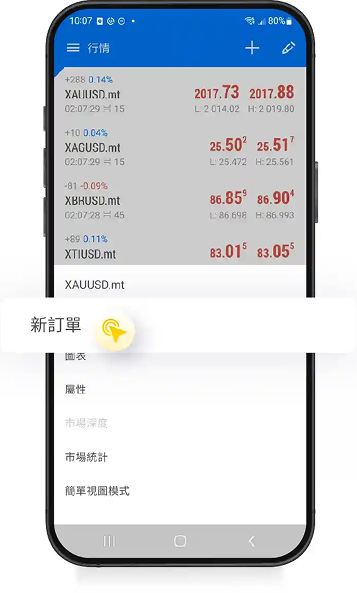
After selecting the instrument you wish to trade, long-press the option and tap "New Order".
2
Choose the Order Type
3
A. Select Market Execution
4
B. Select Buy Limit or Sell Limit
1
Close a Position
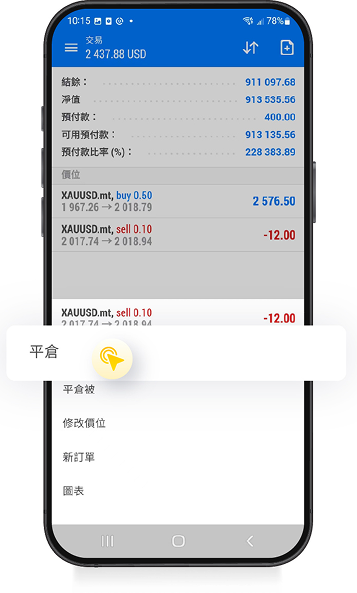
Instant close: after identifying the order you wish to close, long-press the order and select "Close". Then proceed to the order details page to complete the close.
2
Limit Close
3
Modify the Price Level
1
Cancel / Delete Order
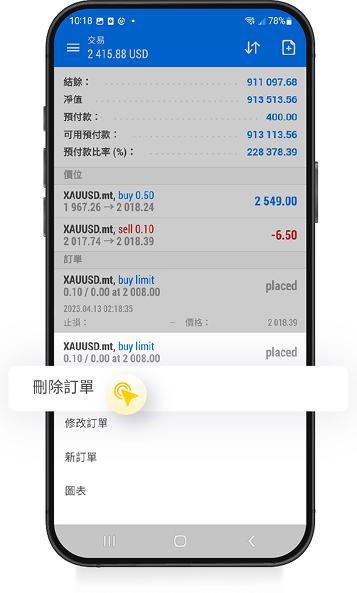
After identifying the order you wish to cancel or delete, long-press the order and select "Delete Order".
2
Tap "Delete"
1
Android Version
Install the MT5 app on your phone in advance.
If the desktop MT5 is closed, price alerts on the mobile MT5 will stop.
Step 1
Check the MetaQuotes ID on the mobile MT5 and write it down
[Android Version] How to check the MetaQuotes ID
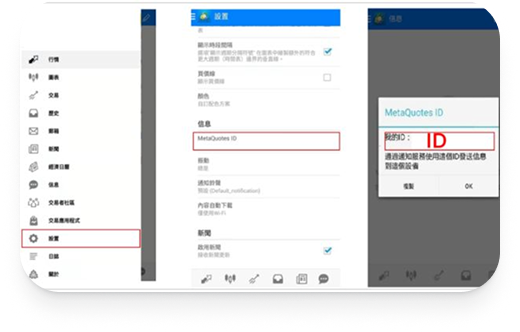
1. First, tap the "≡" icon at the top left of the screen to open the menu.
2. Tap "Settings" in the menu window.
3. Tap the "MetaQuotes ID" item and write down the "MetaQuotes ID (My ID)".
2
iPhone Version
3
Enable Push Notifications 1
4
Enable Push Notifications 2
5
Alert Setup Steps